MySQL offers several ways to view tables: built-in console commands, queries against the information_schema system database, and running commands directly from bash without entering the MySQL shell. All approaches are covered here.
Connect to MySQL
mysql -u root -p
After entering the password, the mysql> prompt will appear.
View All Available Databases
Before working with tables — check which databases are available:
SHOW DATABASES;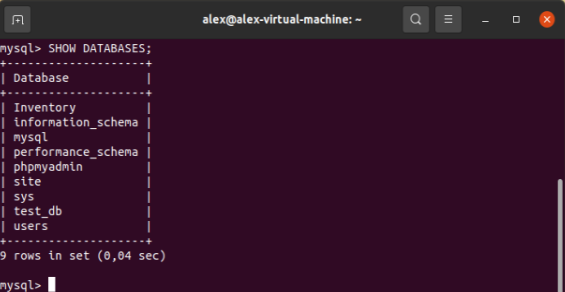
Select a Database
To work with tables in a specific database, make it active with the USE command:
USE test_db;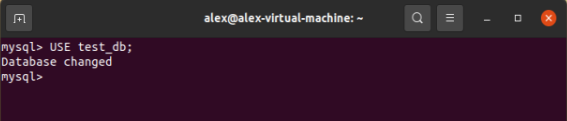
All subsequent commands will apply to test_db.
Show All Tables in the Current Database
SHOW TABLES;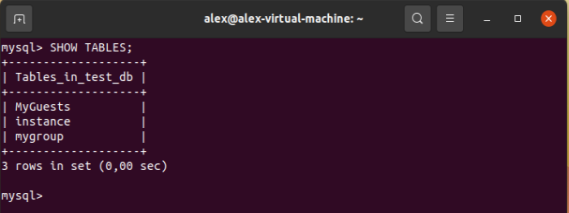
The column header Tables_in_test_db is generated automatically based on the active database name.
Show Tables from Another Database Without Switching
It is possible to stay in test_db while querying tables from any other database — by specifying its name with FROM:
SHOW TABLES FROM users;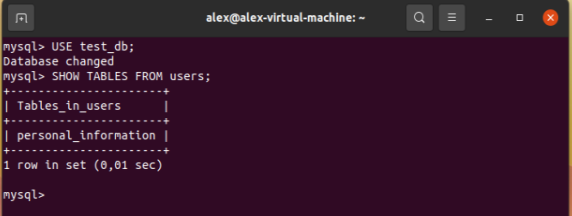
This is useful when comparing the structure of multiple databases without switching back and forth.
Show Table Type: SHOW FULL TABLES
The FULL option adds a second column Table_type, showing the object type: BASE TABLE for regular tables or VIEW for views:
SHOW FULL TABLES;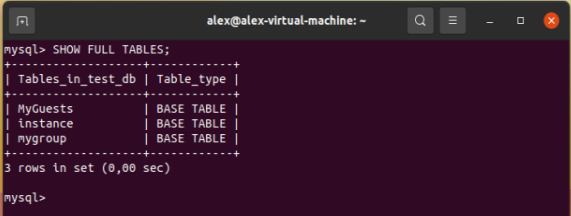
To find only views in the database:
SHOW FULL TABLES WHERE Table_type = 'VIEW';
Filter by Pattern: SHOW TABLES LIKE
LIKE filters tables by name. Wildcards: % — any number of characters, _ — exactly one character.
Find tables starting with my:
SHOW TABLES LIKE 'my%';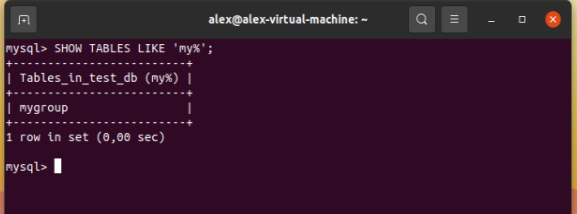
Find tables containing the word guest:
SHOW TABLES LIKE '%guest%';
Find tables with exactly six characters in the name:
SHOW TABLES LIKE '______';
Query via information_schema
information_schema is a MySQL system database containing metadata about all objects. The TABLES table holds information about every table across all databases.
List tables in a specific database:
SELECT TABLE_NAME
FROM information_schema.TABLES
WHERE TABLE_SCHEMA = 'test_db';
With table type and engine:
SELECT TABLE_NAME, TABLE_TYPE, ENGINE
FROM information_schema.TABLES
WHERE TABLE_SCHEMA = 'test_db'
ORDER BY TABLE_NAME;
Count the number of tables in a database:
SELECT COUNT(*)
FROM information_schema.TABLES
WHERE TABLE_SCHEMA = 'test_db';
Find a table by name across all databases:
SELECT TABLE_SCHEMA, TABLE_NAME
FROM information_schema.TABLES
WHERE TABLE_NAME LIKE '%order%';
View Without Entering the MySQL Shell
A table list can be retrieved directly from bash using the -e (execute) flag:
mysql -u root -p -e 'SHOW TABLES FROM test_db;'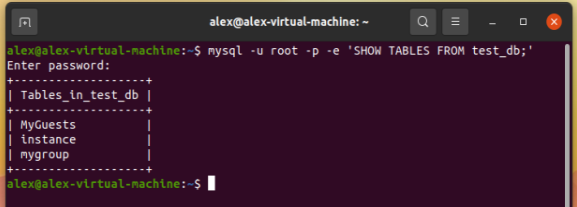
This is especially useful in scripts and automation. If the password is stored in a variable or config file, the command runs without interactive input:
mysql -u root -p"$DB_PASSWORD" -e 'SHOW TABLES FROM test_db;'
Output without a header row (useful in scripts):
mysql -u root -p -N -e 'SHOW TABLES FROM test_db;'
Quick Reference
| Task | Command |
|---|---|
| List all databases | SHOW DATABASES; |
| Select a database | USE dbname; |
| List tables in current database | SHOW TABLES; |
| Tables from another database | SHOW TABLES FROM dbname; |
| With table type | SHOW FULL TABLES; |
| Filter by pattern | SHOW TABLES LIKE 'my%'; |
| Views only | SHOW FULL TABLES WHERE Table_type = 'VIEW'; |
| Via information_schema | SELECT TABLE_NAME FROM information_schema.TABLES WHERE TABLE_SCHEMA = 'dbname'; |
| Without entering the shell | mysql -u root -p -e 'SHOW TABLES FROM dbname;' |