cat dumps the entire file — and it scrolls off the top of the screen. more lets you page forward only. less does both, loads the file in chunks without buffering all the content, and lets you search in both directions. That is why less became the standard for viewing logs and large configs.
Open a File
less filename.txt
The terminal switches to full-screen view. The command prompt disappears, the file fills the screen.
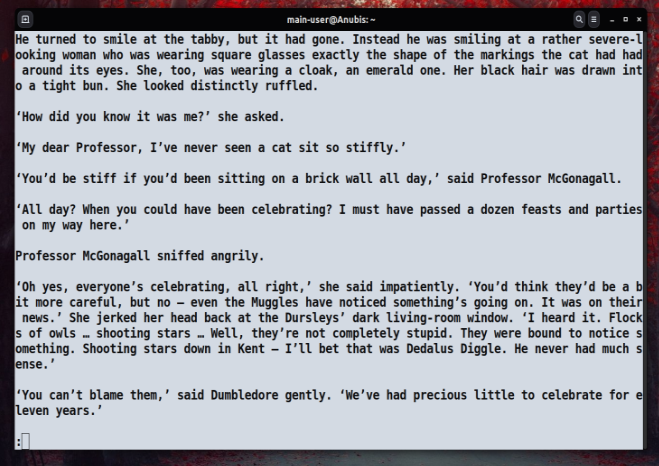
The blinking cursor at the bottom is less's own command line: search patterns and internal commands go here. No switching needed — all control is right there.
Navigation Inside the File
| Key | Action |
|---|---|
| Space, f, Ctrl+F | Scroll one screen forward |
| b, Ctrl+B | Scroll one screen backward |
| Enter, j, Ctrl+J | Next line |
| y, k, Ctrl+Y | Previous line |
| g, < | Go to beginning of file |
| G, > | Go to end of file |
| Ctrl+→ | Scroll horizontally right |
| Ctrl+← | Scroll horizontally left |
| q, Q, ZZ | Quit |
One of the main reasons to use less instead of more — the b key. more has no backward scrolling at all.
Searching Text
Search forward through the file — type / and a pattern:
/error
Search backward — type ? and a pattern:
?warning
After pressing Enter, all matches are highlighted. Jump to the next match with n, previous with N.
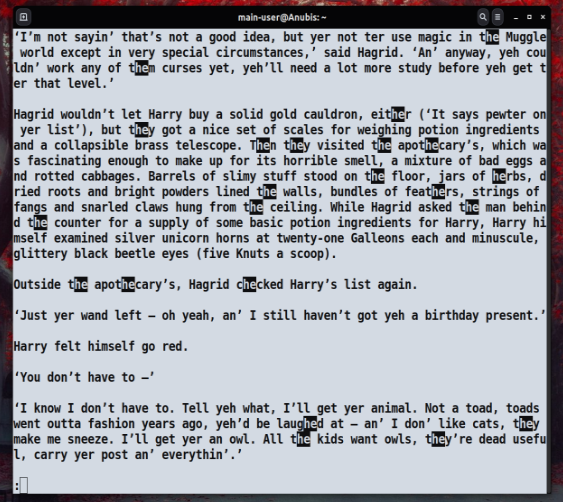
Regular expressions work directly in the search line — /^ERROR finds lines starting with ERROR, /[0-9]{3} finds three-digit numbers.
Case-insensitive search — the -i flag:
less -i logfile.log
Useful Launch Options
Collapse multiple blank lines into one — the -s flag:
less -s textfile.txt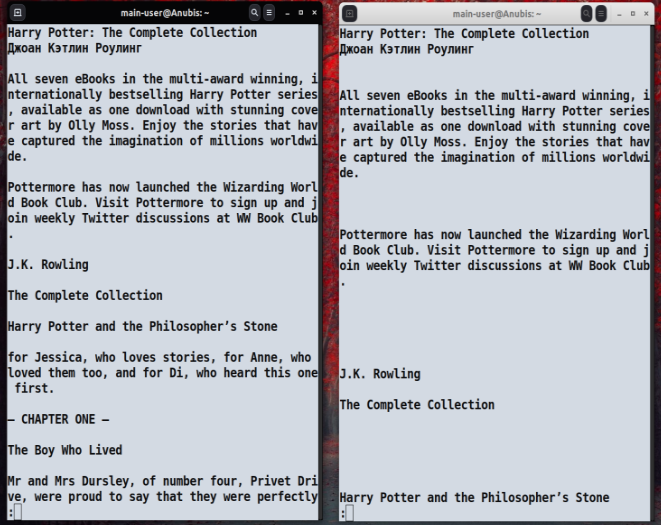
Show line numbers — the -N flag:
less -N /var/log/syslog
Exit automatically if the file fits on one screen — the -F flag:
less -F config.conf
Open at a specific line:
less +100 bigfile.txt
Open at the end of the file — useful for logs:
less +G /var/log/nginx/error.log
Follow a File in Real Time
The +F flag puts less into follow mode — like tail -f, but with the ability to press Ctrl+C at any moment and switch to manual navigation:
less +F /var/log/nginx/access.log
In follow mode, new lines appear at the bottom automatically. Ctrl+C stops it — you can scroll and search. F again returns to following. This is more convenient than switching between tail -f and grep.
Multiple Files
less can handle multiple files in sequence:
less file1.log file2.log file3.log
Switch between files: :n — next, :p — previous, :d — remove current from the list (not from disk).
Pipe: Command Output Through less
less is often used not for files but for piping command output:
dmesg | less
ps aux | less
git log | less
cat /var/log/syslog | less -N
Any long output that scrolls off screen — pipe it to less and navigate at your own pace.
less vs more vs cat
| Tool | Backward scroll | Search | File loading | Follow mode |
|---|---|---|---|---|
| cat | — | — | Entire file | — |
| more | — | Forward only | Entire file | — |
| less | Yes | Both directions | In chunks | +F |
less does not load the entire file — it reads only the fragment it needs to display. On a multi-gigabyte file this is a significant difference.
Quick Reference
| Task | Command / Key |
|---|---|
| Open a file | less filename |
| Open at end of file | less +G filename |
| Follow file in real time | less +F filename |
| Show line numbers | less -N filename |
| Collapse blank lines | less -s filename |
| Case-insensitive search | less -i filename |
| Search forward | /pattern |
| Search backward | ?pattern |
| Next match | n |
| Previous match | N |
| Go to beginning | g |
| Go to end | G |
| Next file | :n |
| Quit | q |